Add a specialist
Before you start
Section titled “Before you start”Read about specialists for what this is, how it connects to the rest of KLERQ, and the conventions worth following.
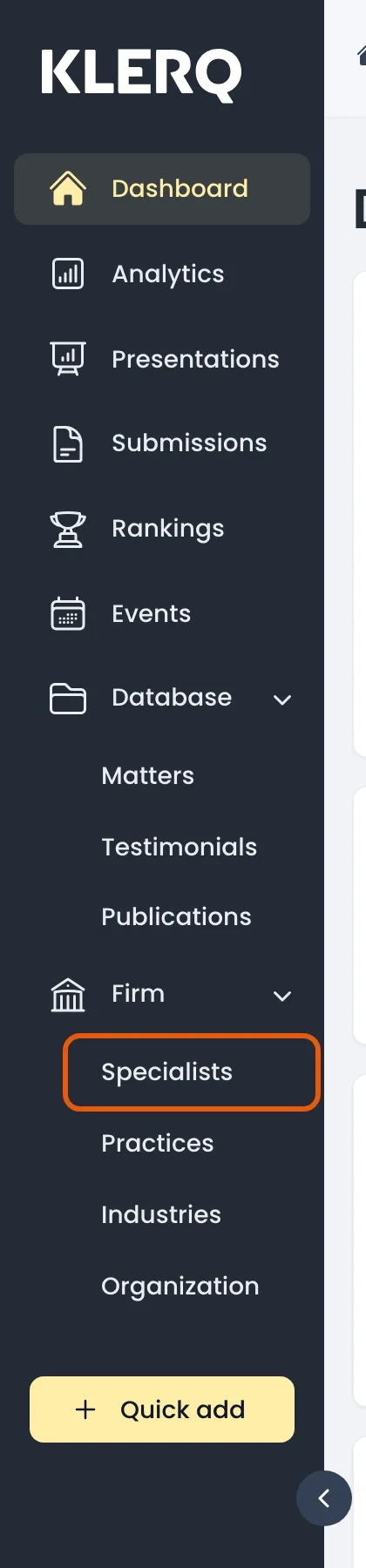
- In the left menu bar, click Specialists under the Firm heading.
- Click New specialist in the top-right corner of the Specialists page.

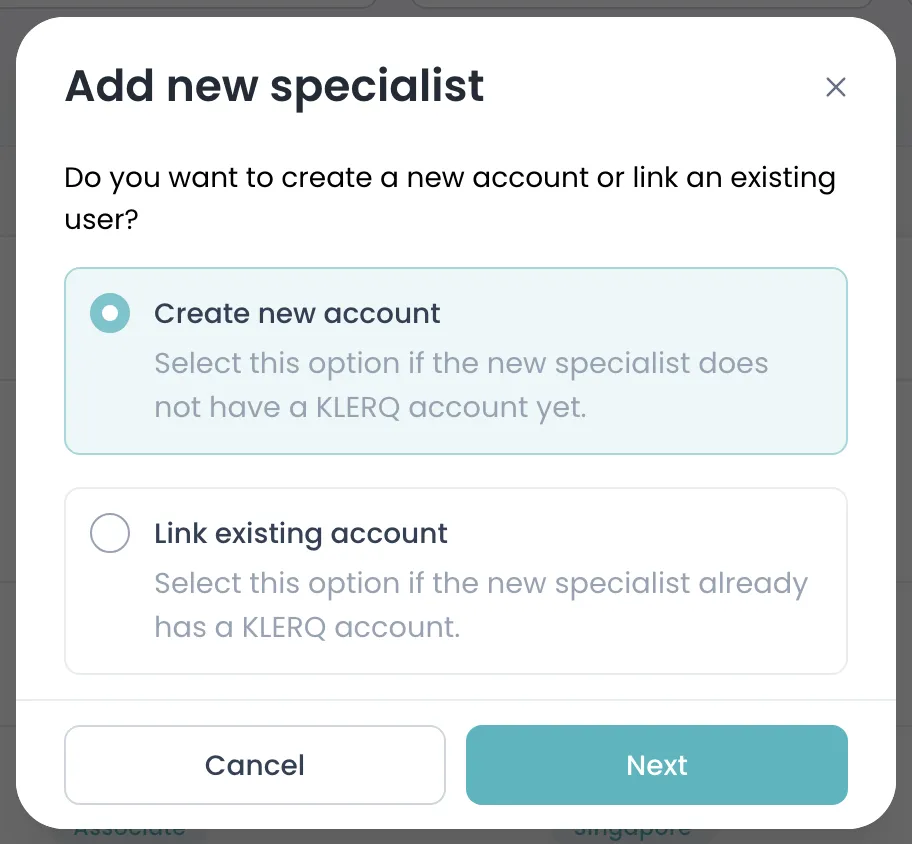
- Choose Create new account for someone new to KLERQ, or Link existing account to attach a specialist profile to a colleague who already signs in.
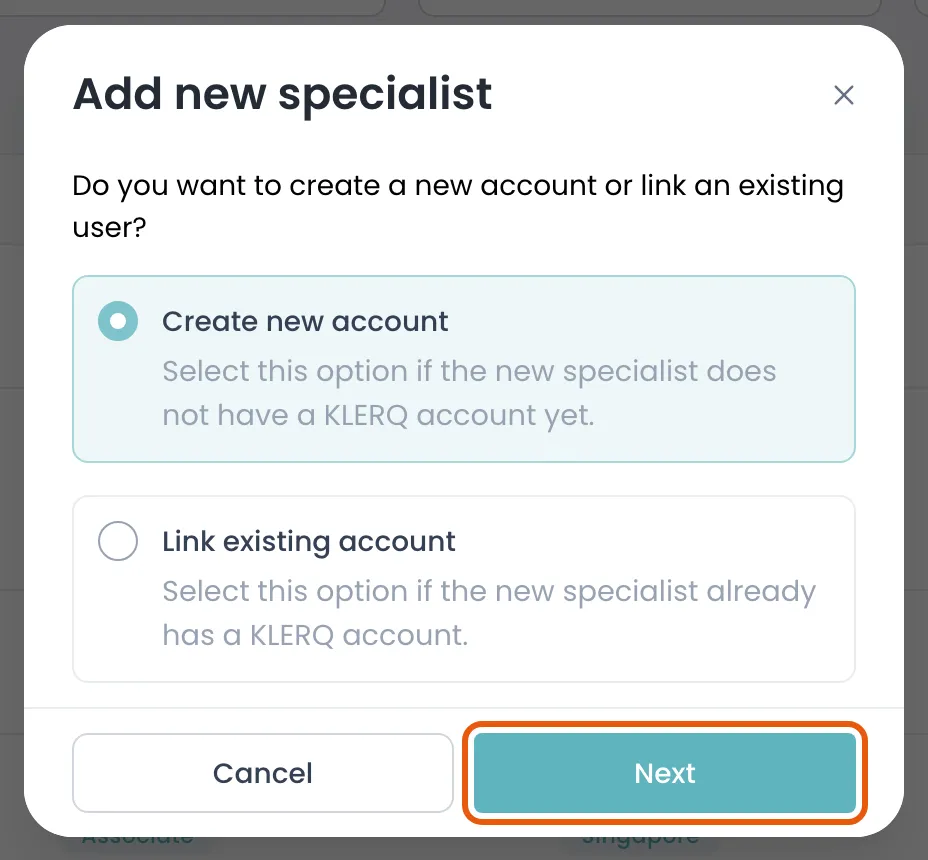
- Click Next to continue to their details.
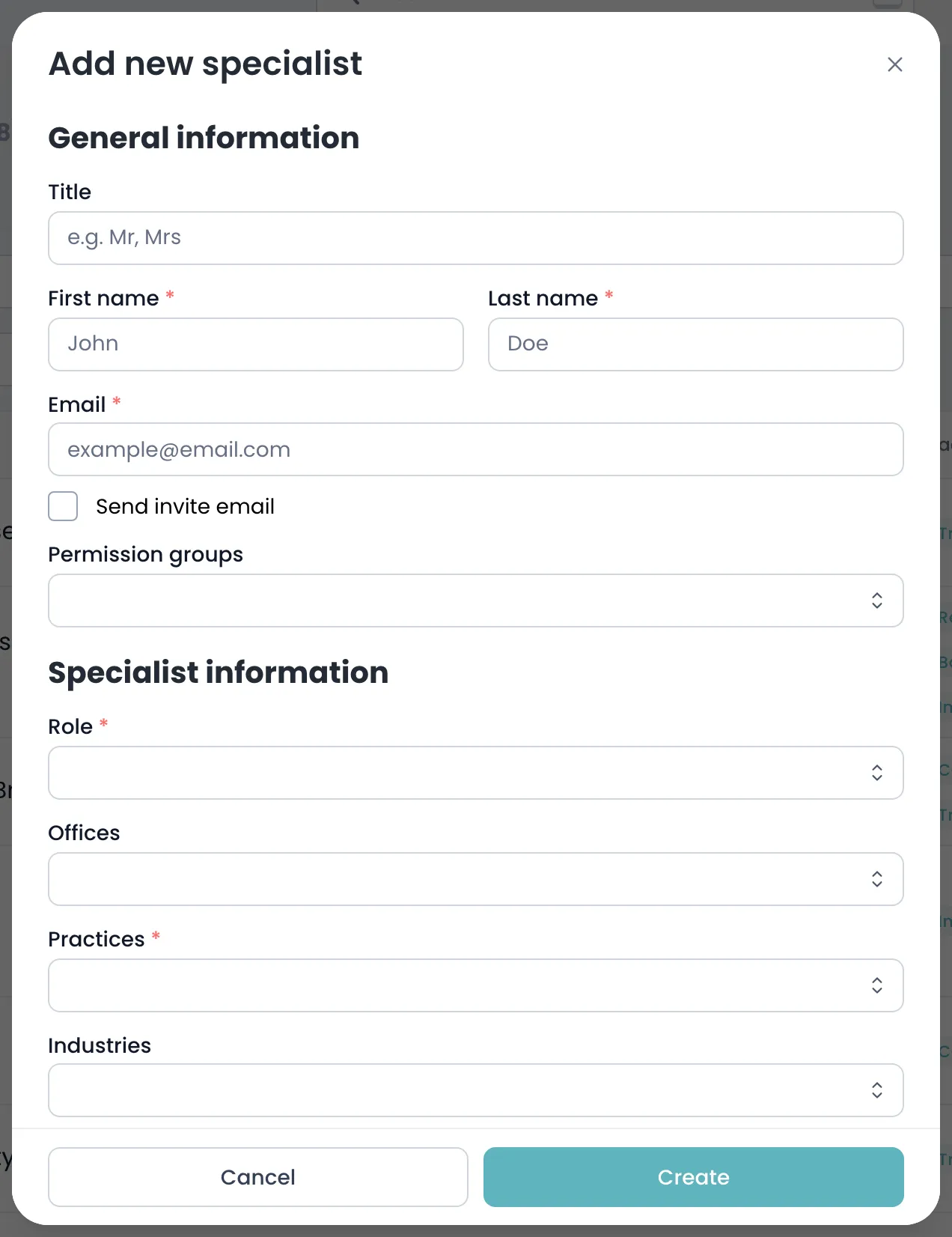
- Enter their name, email, Role and the Practices they work in, then save.
Field reference
Section titled “Field reference”| Field | Type | Required | Description |
|---|---|---|---|
| Title | Text | No | Professional title, such as Dr. Appears on submissions. |
| Prefix | Text | No | Salutation, such as Mr or Ms. |
| First name | Text | Yes | First name, as it should appear on directory submissions. |
| Last name | Text | Yes | Surname. |
| Text | Yes | Work email address. Also the sign-in address if you give them KLERQ access. | |
| Role | Text | Yes | Seniority — Partner, Counsel, Associate. Directories always ask for this, and it drives how submissions are counted. |
| Offices | List | No | Which office or offices they work from. Directories often want office-level breakdowns. |
| Practices | List | Yes | The practice areas they work in. Required, and what makes them findable for submissions. |
| Industries | List | No | Sectors they specialise in. |
| Phone number | Text | No | Direct line. |
| Mobile | Text | No | Mobile number. |
| LinkedIn URL | Text | No | Their LinkedIn profile, shown on presentations. |
| Joined the firm on | Text | No | When they joined your firm. Used for years-of-experience questions. |
| Joined from | Text | No | Where they came from. Directories ask about lateral hires. |
| Left the firm on | Text | No | When they left, if they have. Set this rather than deleting the record. |
| Departed to | Text | No | Where they went. |
| Education | List | No | Degrees and qualifications. Frequently requested by directories. |
| Memberships | List | No | Bar admissions and professional bodies. |
| Permission groups | List | No | What they can do if given KLERQ access. Leave empty for a profile-only record. |
| Send invite | Yes/no | No | Whether to email them a KLERQ invitation now. |
| Labels | List | No | Your firm’s own tags for filtering the specialists list. |
| Featured Work Highlights | List | No | The pieces of work shown first on their profile. Curate these — they are what a reader sees. |
After you create a specialist
Section titled “After you create a specialist”A new specialist has no biography and no photo. Both are added from their own page. Bios are written per language and go through approval before appearing on client-facing presentations.